


Glympse's Santa Tracker
Thousands of organizations globally use Glympse to share the real-time location of Santa as he parades through the streets waving to the children and spreading holiday cheer.
Utilizing Glympse Premium Tags, a feature in the Glympse app, fire departments, city leaders, and community organizations can create a custom Santa experience enabling all to remain informed about his itinerary and designated meet/greet time.
Read more about Glympse Premium Tags in Firehouse Magazine or in our blog.
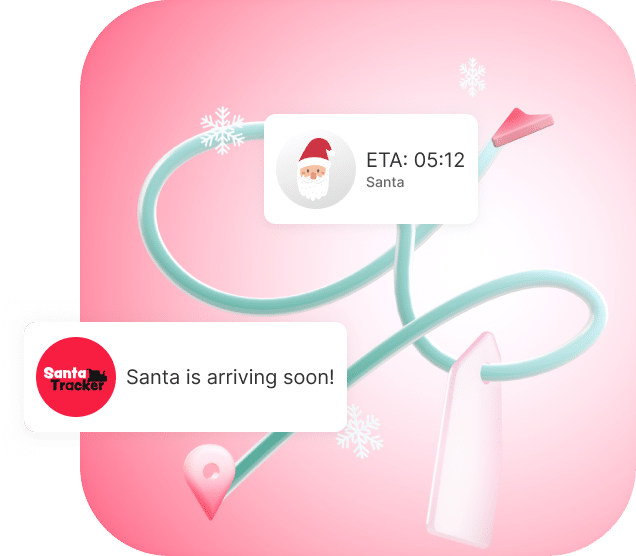
Bring the spirit of Santa's route to life. Download Glympse and create your unique premium tag experience.


Why Glympse Santa Tracker Experience?
Bring holiday magic to your parade or event with real-time Santa tracking, powered by Glympse Premium Tags. Your community can watch Santa’s live location for free, no app required.
Organizations can create a branded tracking experience for USD $9.99/month or USD $99.99/year, with automatic renewal so your custom tag name stays yours every season.
Many groups offset the small cost by partnering with a sponsor, who can receive featured branding within the experience.
Perfect for parades, Santa caravans, local festivals, and events.
Simply tap a link to track Santa — no app is needed on their end.
Customize Santa avatars, colors, logos, messages, or use our templates
Parents can monitor Santa’s route and ensure a timely presence.
Use as a way to help increase food and/or toy donations
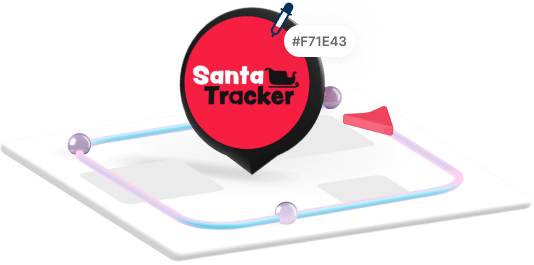
Customize Logos, Colors, and Avatars
Make the experience uniquely yours by adding a unique logo, custom colors and even personalizing avatars or choose from our library.
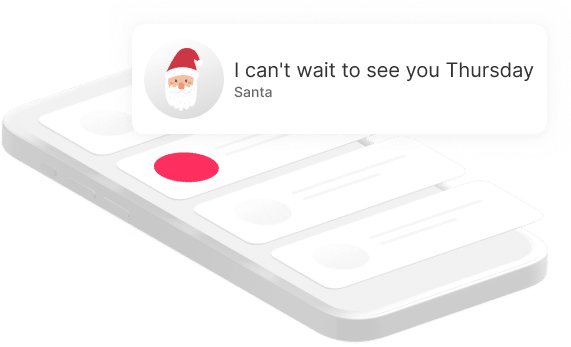
Add Personal Messages from Santa
Delight children and families by including personalized messages from Santa himself!
You can even use the messaging capabilities to remind
residents to donate items to Toys for Tots or food drive.
Predetermine up to 7 routes
Plan Santa’s journey in advance by defining up to 7 routes. Tailor the path to include desired neighborhoods, landmarks, or popular areas.

Unique Glympse Premium Tag Name
Define and keep a unique Glympse Premium Tag name that perfectly represents your community or event. It will be renewed annually to maintain your ownership and usage right to it.
Santa Tracker FAQs
Getting Started (Basics, Setup, Cost & Access)
- What are Glympse Premium Tags?
- How much do Glympse Premium Tags cost?
- How do I purchase a Glympse Premium Tag within the app?
- How many Glympse Premium Tags can I have?
- Does the public have to pay to track Santa?
- No, using the Glympse Santa Tracker or Glympse Premium Tags as a public member is completely free. Anyone who clicks on the link will see your Santa’s real-time location for the event, with or without downloading the Glympse app.
- Do people need to download the app to view Santa?
- No. Recipients do not need the Glympse app to view Santa’s location on their devices. They can simply click the URL you send them in your marketing, social media, via QR code or on your website.
- Can I use Glympse Premium Shares for a Santa Tracker?
- No; you must use Glympse Premium Tags for a Santa Tracker, not Glympse Premium Shares. Glympse Premium Shares are used by small businesses with technicians and delivery drivers, not Santas.
- Can I use the Santa Tracker for other holidays and events?
- Yes! Simply create a new Glympse Premium Tag (e.g. “EasterBunny<YourTown>” or “<YourTown> Ice CreamTruck,”) and customize the colors and logos to match your event’s brand
Customizing Your Santa Tracker (Logos, Images, Editing, Branding)
Routes, Sharing & Viewing (What the Public Sees + How You Publish the Link)
- How do I view my Glympse Premium Tag?
- How to add members to your Glympse Premium Tag?
- What does the public see when they open the link?
- Anyone who opens your Santa Tracker link will see a live, web-based view of Santa’s route. This includes your custom branding, event details, and Santa’s real-time location as the tracker updates. Viewers do not need an app or account to access it.
- Is viewing Santa free?
- Yes. Anyone can watch Santa’s live route for free. Only the event organizer needs a Premium Tag subscription to create and manage the tracker.
Troubleshooting, Passwords & Subscription Management
- My Santa’s location isn’t updating — what should I do?
- My route won’t save. How do I fix this?
- Make sure you’re clicking Save Route after each change. If the route still isn’t saving, double-check that your Premium Tag subscription is active. Routes will not save if the subscription has expired. If the issue continues, try refreshing your browser or logging out and back in before editing again.
- Someone can’t open the Santa link. What should I check?
- First, confirm that the link is correct and has no extra characters. Then have the viewer try opening it in a different browser or switching from Wi-Fi to cellular data. You can also test the link yourself to make sure the Tag is active and not expired.
- My Tag name is taken. How do I choose another?
- Tag names must be unique, so if a name is already in use, possibly from an older account, you’ll need to select a different one. Try adding a number, location, or short variation until you find an available option.
- Login or email issues with the Glympse app.
- The Glympse app uses your email to log in. No password required. If you’re not receiving the login email, check for typos, try another email address you may have used previously, or look in your spam/junk folder. If you still can’t log in, confirm which email was used to purchase your Premium Tag, as that is the account tied to your subscription.
- How do I cancel my Premium Tag subscription?
- How does auto-renewal work?
- Your Premium Tag subscription will automatically renew at the end of each billing cycle using the payment method saved in your Apple App Store or Google Play Store account. As long as the payment method is valid and the subscription hasn’t been canceled, it will renew without any action needed.
- Can I renew early?
- No, early renewal isn’t available. Your subscription will stay active until the end of the current billing cycle and then automatically renew on its scheduled renewal date.
- How do I manage my subscription in Apple/Google?
- All subscription changes including updates to your payment method, cancellations, and checking your next renewal date must be managed directly through your Apple App Store or Google Play Store account. Go to your device settings, open your App Store or Play Store subscriptions, and select your Glympse Premium Tag subscription to update it.